
The One Job a Grow Light Controller Has to Do
Plants respond to light duration, not just light intensity. Most flowering houseplants and seedlings need a consistent photoperiod — typically 12 to 16 hours on, depending on species — to stay on schedule. Shift that window by more than an hour or two on a regular basis, and you'll see stress signs within two to three weeks: leggy growth, delayed flowering, or leaf drop in light-sensitive species.
A controller's only real job is protecting that consistency. Everything else — app design, voice control, scheduling flexibility — is secondary.
Digital Timers: Mechanical Simplicity, Fixed Limits
What They Do Well
A basic digital timer runs on its own internal clock. No app, no Wi-Fi, no account required. Set the on and off times once, and the timer holds that cycle independently of your home network. That independence is the entire appeal: a $12 digital timer with battery backup will keep correct time through a power outage of several hours, because the clock itself doesn't reset.
Where They Fail
Most digital timers offer only one or two programs per day, with fixed on/off pairs. You can't easily set a sunrise-style ramp, adjust for a single skipped day, or run different schedules on weekdays versus weekends. Cheaper models without battery backup lose their programmed time entirely during an outage and default to a factory setting — often "always on" — until manually reset.
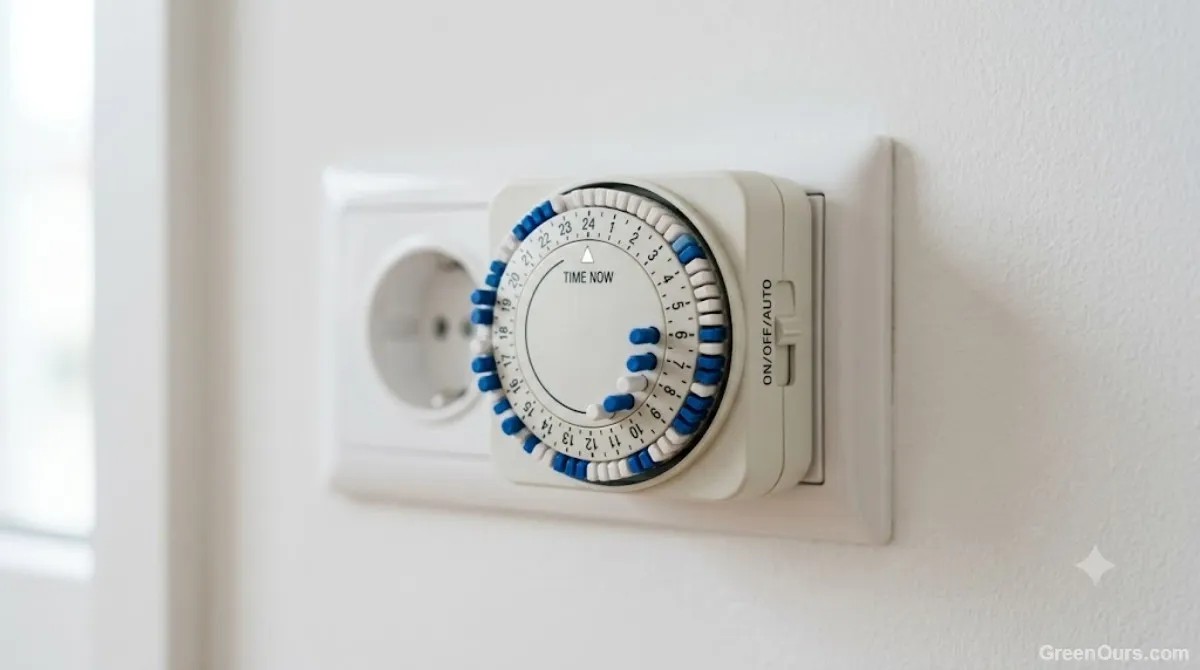
Check for a stated backup power window before buying. A timer with 2 hours of backup is fine for brief blips. One with none can undo three weeks of consistent growth in a single storm.
Smart Plugs: More Control, More Points of Failure
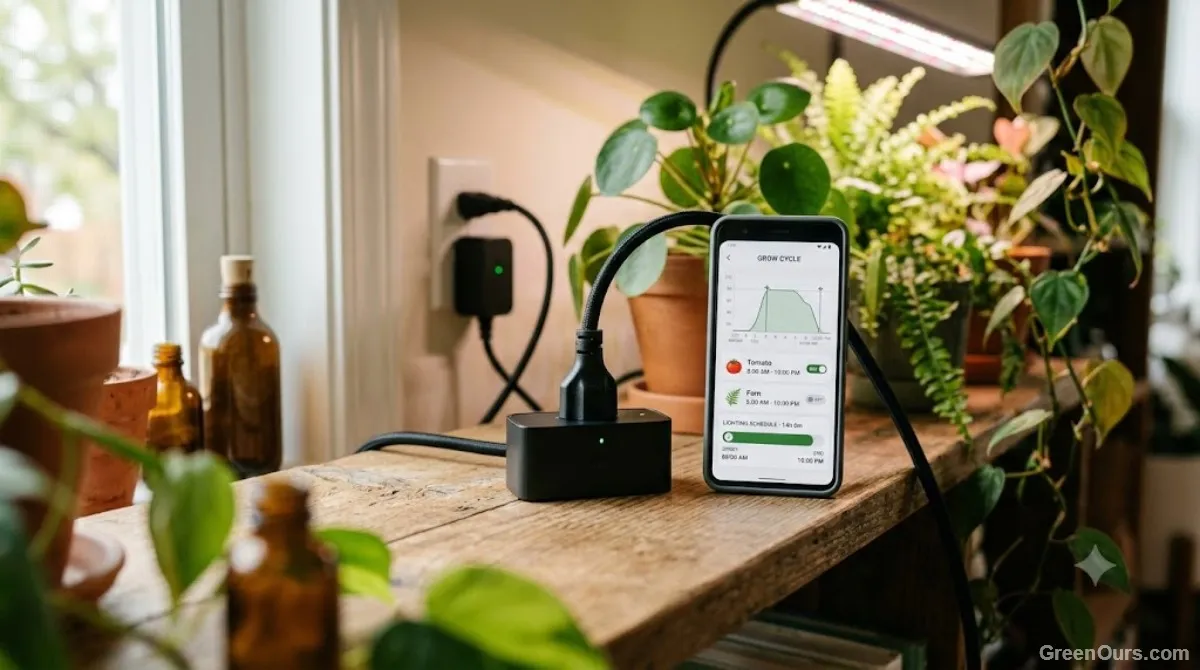
A smart plug connects to your home Wi-Fi and runs schedules through an app, giving you remote adjustment, sunrise/sunset simulation, and the ability to change a schedule from anywhere. For growers managing multiple lights on different cycles — say, seedlings on 16 hours and mature flowering plants on 12 — this flexibility solves a real problem a single-program timer can't touch.
The tradeoff is dependency. A smart plug relies on three things staying intact: your home Wi-Fi, the manufacturer's cloud service, and the plug's own firmware. If any one of those fails, the schedule can stall. Most smart plugs do store the last schedule locally and will resume it once power returns, but a small number revert to "off" until the app reconnects — worth confirming before you rely on one for a flowering cycle you can't afford to interrupt.
Power Outage Recovery: The Feature Most People Ignore
This is where the two options actually separate. In testing typical models from both categories, three recovery behaviors show up repeatedly:
- Resume the last schedule automatically — the light picks back up on cycle within seconds of power returning. Most mid-range smart plugs and any timer with battery backup do this.
- Default to "on" until manually corrected — common in basic timers without backup power, and in a few budget smart plugs. This is the failure mode that causes light-cycle disruption in flowering plants.
- Default to "off" until the app reconnects — specific to some Wi-Fi-dependent smart plugs when the outage also knocks out your router. Recovery time in this case depends on your internet coming back, not just your power.
None of these behaviors are usually printed on the box or listed on the product page. The only reliable way to know which one you have is to unplug the controller yourself and watch what happens — before a real outage forces the question.
If your home loses power more than a couple of times a year, prioritize option one above every other feature on the spec sheet.
Scheduling Flexibility Compared
Digital timers typically max out at one or two on/off pairs per 24-hour period, with no day-to-day variation. Smart plugs commonly support gradual dimming, multiple schedules per day, and different programs for different days of the week. For a single shelf running one consistent cycle, that flexibility goes unused. For a grower managing propagation, vegetative, and flowering stages simultaneously under separate lights, it's the difference between three devices and one app.
Some growers split the difference: a smart plug runs the primary flowering light, while a basic battery-backed timer sits on a second outlet as a fallback. If the smart plug's cloud connection drops, the timer keeps the light cycling on a fixed schedule until you can step in and fix the app side. It's one more device to manage, but it closes the single point of failure that worries most people about Wi-Fi-dependent control.
Matching the Tool to Your Setup
Small Collections (1–3 Plants, One Light)
A digital timer with battery backup covers this case completely. There's no meaningful benefit to remote scheduling when the light and the plant are in the same room you're standing in daily. Spend the savings on a better light instead.
Larger Collections (Multiple Lights, Mixed Schedules)
Smart plugs earn their cost here. Managing four or five separate photoperiods with individual timers means physically resetting dials every time a plant moves between growth stages. A smart plug system lets you adjust a single schedule from your phone in under a minute — a real time savings once you're past a handful of lights. A setup running four lights on three different schedules can save 20 to 30 minutes a week compared to manually resetting individual timer dials — time that adds up fast during a busy propagation season.
Setup Mistakes That Undo Either Option
Regardless of which controller you choose, three mistakes account for most of the inconsistent results growers report:
- Plugging the controller into a switched outlet. If the wall switch gets flipped off, neither device can override it.
- Skipping the battery-backup or cloud-reliability check. This single spec matters more than app features or price.
- Never testing the recovery behavior. Unplug the controller for ten minutes and check what the light does when power returns. Most growers never find out until an actual outage costs them a flowering cycle.

What to Do Next
Buy for the failure case, not the sunny-day case. A schedule is only as reliable as what happens when something goes wrong — and that's the spec sheet detail most listings leave out.